We gave Smart Voice a keyboard, so you can speak into any app and your words never leave the phone
Smart Voice 2.0.3 adds a keyboard on iPhone and a key you hold on the Mac. You talk, it drops the ums and the restarts, spells your names your way, and the words never leave the device.
Speak into any app
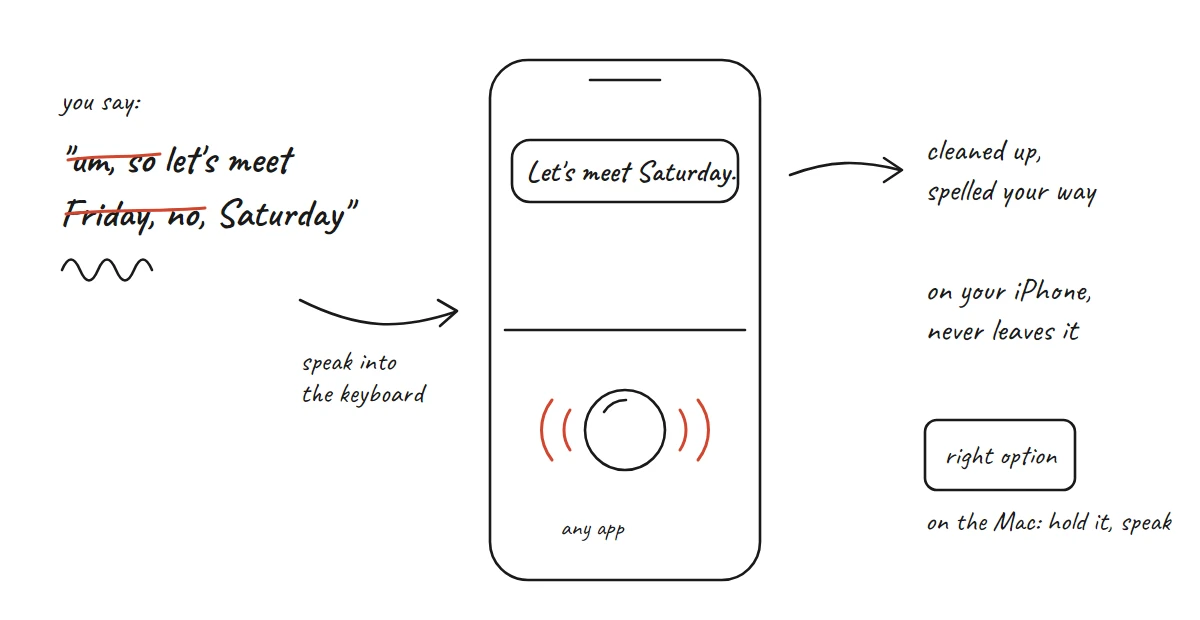
You know what you want to say in a chat, and typing it takes longer than saying it. Smart Voice 2.0.3 puts a keyboard on your iPhone that you talk into. It works in any app, and your words are cleaned up on the phone and never leave it.
What cleaned up means
Nobody talks the way they write. You say "um, so let's meet Friday, no, Saturday", and Smart Voice writes "Let's meet Saturday." It drops the hesitations, follows you when you change your mind halfway through, and writes times and amounts the way you'd type them. Each sentence is cleaned while you're still talking, so the text is ready when you stop.
Names are the hard part. Our own test recordings heard "Rinor Shkodra" as "Noshko Draw" and Gjakova as "Jacoba". Add the names you use, or correct one once, and every dictation and transcript spells them your way from then on.
You can start from Control Center or the Action Button and end it from the Lock Screen. On the Mac you hold Right Option and speak, and the words land in whatever app is in front. Rest on the notch to see what just landed and fix a word.
What it runs on
People asked us which model it uses and how the app stays so small. Smart Voice listens with Apple's newer on-device transcriber, the one that came with iOS 26, and cleans up with Apple's on-device model. Both come with the system, so the app doesn't carry a model of its own. Whisper is still there for languages Apple's transcriber doesn't cover.
Before shipping, we raced it against Wispr Flow on a Mac with 26 of our own recordings. Wispr Flow sends your voice to its servers. Smart Voice does all of it on the Mac, and its words still landed sooner in every round, typically about 270 milliseconds after letting go of the key against Wispr Flow's 400 or so. Speaking straight into the microphone, Smart Voice got 6.5% of the words wrong and Wispr Flow 5.3%. The fixes we've made since bring our own bench to 5.1%.
What people asked
We posted about the launch on November 1, and the post passed 80,000 views. One person who used to transcribe with Whisper tried dictating and wrote that it was "99% accurate". Others bought Pro and asked for more.
Someone asked whether a recording could ever have legal provenance. It can, and it has been on our minds for Smart Voice for a while. The usual names are chain of custody, tamper-evident recording and Content Credentials, the C2PA standard camera makers use. An app can make tampering detectable. Whether a recording holds up is for a court, mostly on testimony and on whether it was lawful to record at all. Since 2019 Smart Voice has turned up in places we never expected, high-stakes journalism among them, and we get some very interesting emails.
One buyer wants transcripts in an iCloud folder so their agents pick them up without an export, and we're already building it. Someone who is hard of hearing asked about live captions, and those are in the next update, along with an export of just the notes as a bullet list.
Loud rooms
Next is the café table. We built a bench of real meetings with café, restaurant and street noise laid under them. Apple's voice isolation didn't help, and at full strength it made the words worse, so it isn't going in. Now we're trying the iPhone's spatial recording, because hearing where a voice comes from could tell the people at your table from the ones at the next.
 Projects, press or anything else.